
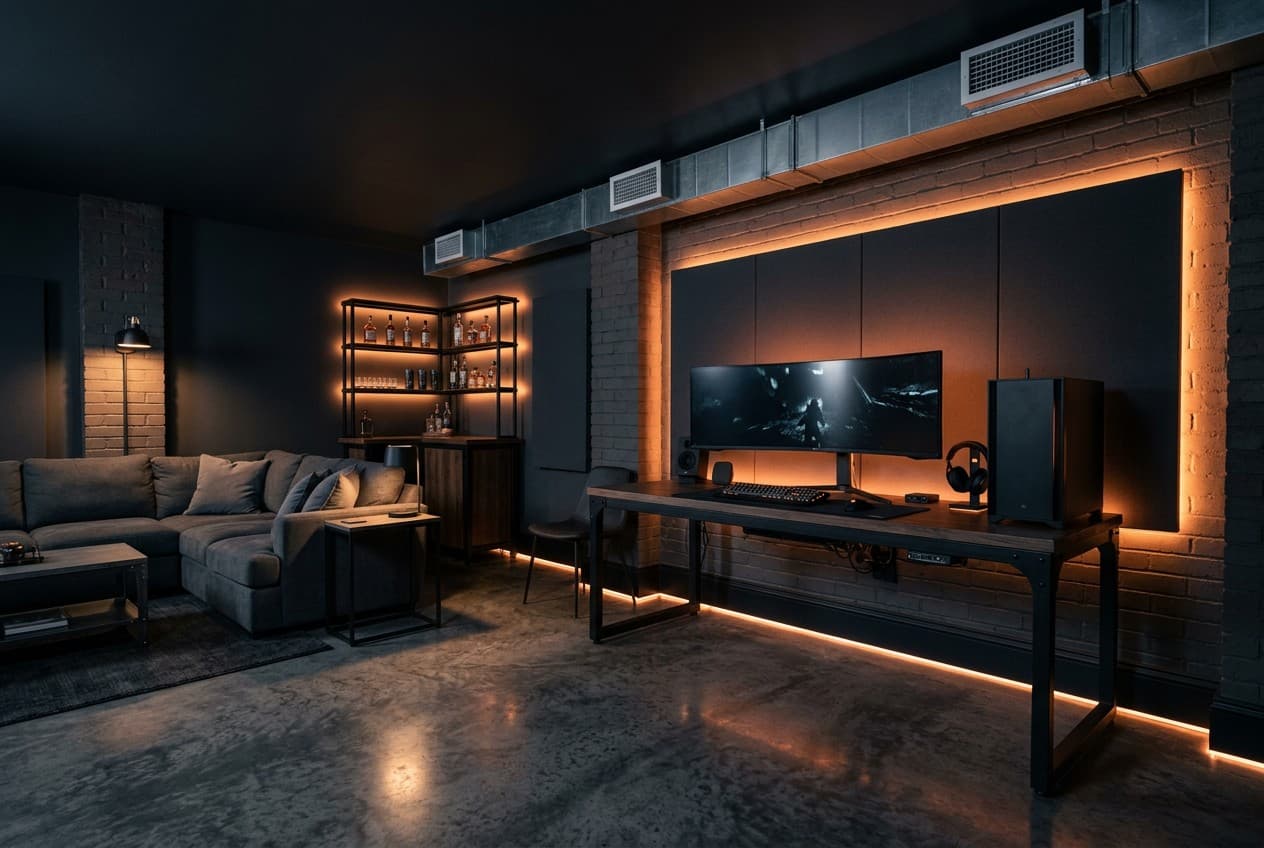
A dedicated gaming space beats gaming in a shared living room in every way. Better audio because you control the acoustics. Better lighting because you set it up for your screen rather than around the TV above the fireplace. Better focus because nobody's walking through the shot or asking you to turn it down. The tradeoff is that you have to plan it deliberately — a room that grew organically from a TV-on-a-desk rarely becomes a space you want to spend hours in.
The challenge is matching your setup to your actual space. A garage gives you freedom and separation but needs climate control. A shed is tight but achievable for solo gaming. A spare room is the easiest shell to work with but often the hardest to acoustically isolate. This guide covers all three, with real zone layouts and dimensions rather than generic inspiration.
Garage Gaming Room Layout (2-Car, 480 sq ft)
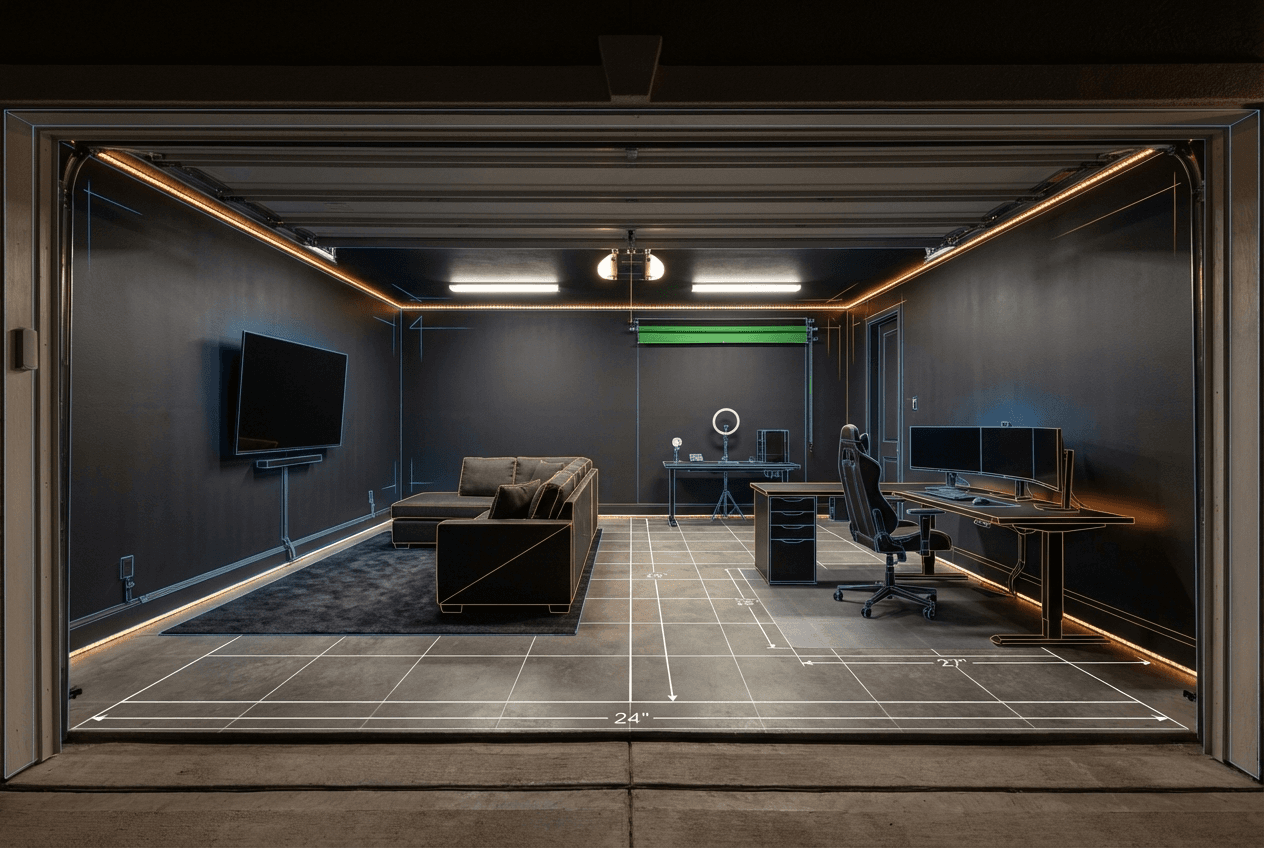
A 2-car garage is the ideal gaming room shell. Enough square footage to separate different activities, ceiling height for surround sound without compression, and the ability to fully black out the space for immersive play or streaming. The four zones below are the core configuration.
Garage Gaming Room (2-Car, 20×24 ft)
Total: 480 sq ft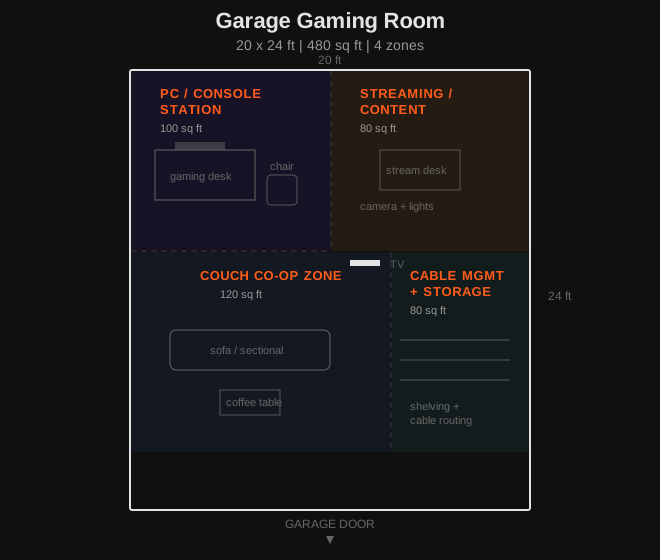
The garage gaming room works best with the PC station on one side wall and the couch co-op TV on the opposite end — this creates a natural traffic flow and lets both zones run simultaneously without interfering. The streaming corner sits at a 90-degree angle to the PC station so the camera can capture gameplay without a light source behind the subject.
Shed Gaming Setup (150 sq ft)
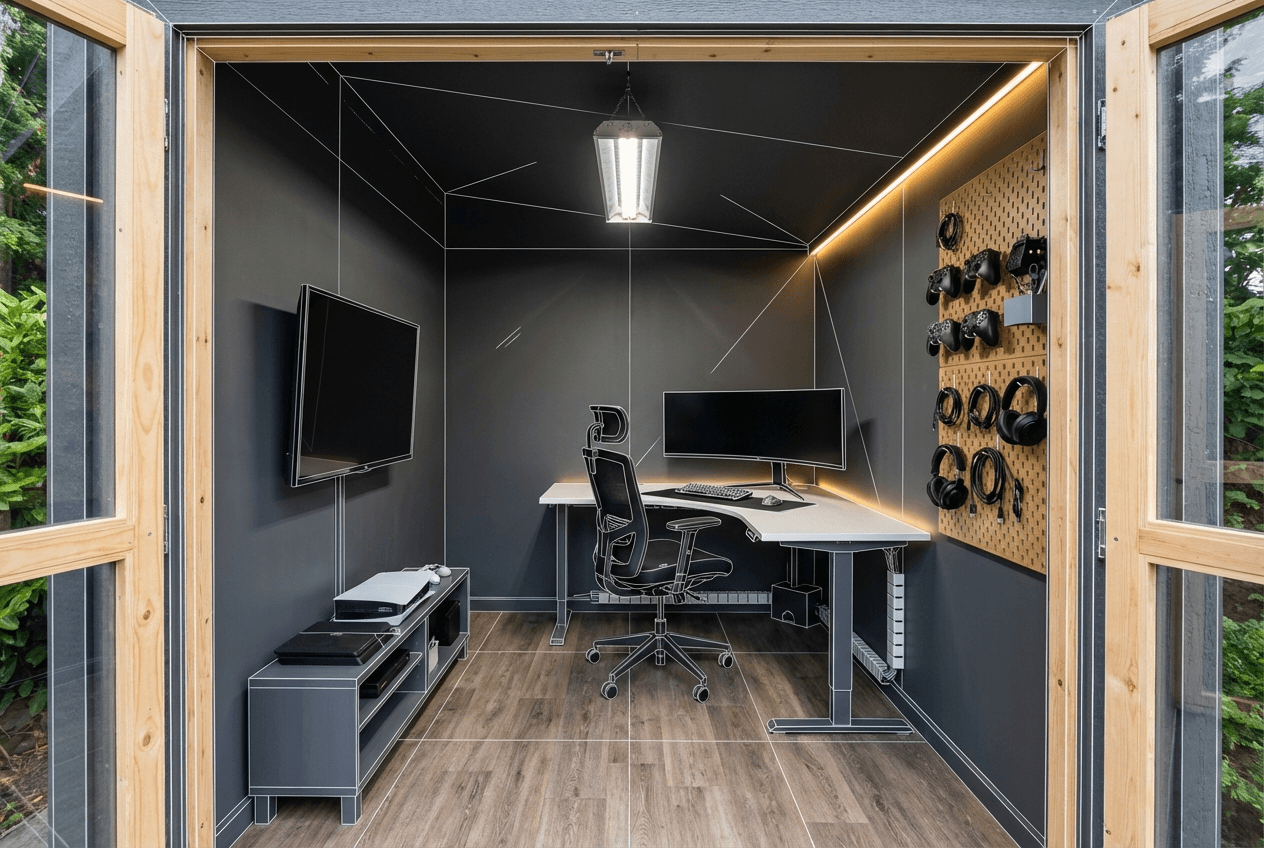
A 10×15 ft shed is a genuine solo gaming setup if you pare it back to one primary function. Two desks, a full co-op couch, and a streaming corner won't fit — pick one and do it well. The layout below is optimized for a solo PC or console player who wants a clean, dedicated space away from the house.
Shed Gaming Setup (10×15 ft)
Total: 150 sq ftThe shed gaming setup is where cable management discipline matters most. Less square footage means cables have fewer routes — plan conduit paths before you place furniture. A single wide-gauge extension run from your home's outdoor outlet to a quality surge protector inside the shed is safer and cleaner than running multiple leads.
Minimum Space Requirements for Gaming Setups
These are minimums, not ideals. Add at least 20–30% to each dimension if your budget and space allow — the difference between a cramped gaming setup and a comfortable one is almost always in the floor clearances rather than the gear itself.
Budget Breakdown by Tier
Gaming Room Budget Tiers
- Used gaming PC or last-gen console ($300–$600)
- Second-hand desk and gaming chair (~$200–$400 from Marketplace)
- 24–27 in 144Hz monitor or a 55 in 4K TV for console play (~$250–$400)
- Basic LED strip lighting and a decent headset ($80–$150)
- Trade-off: no acoustic treatment, no climate control in a garage or shed — the space will be noisy and temperature-dependent
- Current-gen console (PS5 / Xbox Series X) or mid-range gaming PC ($500–$1,200)
- 27–32 in 165Hz+ gaming monitor or 65–75 in 4K TV for couch gaming ($400–$800)
- Soundbar with dedicated subwoofer or 2.1 speaker setup ($200–$500)
- Ergonomic gaming chair (not a racing seat — a proper office chair with lumbar support) ($300–$600)
- Mini split or portable AC for year-round garage/shed comfort ($400–$800)
- What this unlocks: a setup that performs year-round, sounds good, and is comfortable enough for multi-hour sessions
- High-end gaming PC build or top-spec console plus capture card for streaming ($1,500–$3,000)
- Dual 27 in 240Hz monitors or an ultrawide curved display ($800–$1,500)
- Full 5.1 or 7.1 surround sound system with dedicated amplifier ($1,000–$2,500)
- Acoustic panel treatment — ceiling clouds and corner bass traps to flatten the room's response ($400–$800 DIY)
- Streaming rig: capture card, mirrorless camera for face cam, key light, and XLR mic with interface ($600–$1,200)
- Climate-controlled environment with dedicated HVAC mini split, sealed floor, and blackout window treatment
The Two Upgrades People Always Skip
Cable management is treated as an afterthought but it shapes how the room feels every single session. A gaming setup with visible cable chaos distracts from the screen, creates trip hazards, makes troubleshooting a nightmare, and signals that the space was never properly finished. Cable trunking along wall edges, velcro ties on desk runs, a cable box under the desk for power strips, and a keystone wall panel for HDMI and ethernet runs costs under $150 total and makes a $2,000 setup look like a $5,000 one.
Acoustic treatment is the other overlooked upgrade — and it matters more in a garage or shed than in any carpeted spare room. Hard concrete walls, bare drywall, and an uninsulated ceiling create a live-sounding space where game audio blurs and online call quality suffers. Four 2 ft × 4 ft acoustic panels on the wall behind your monitors plus two corner bass traps cost roughly $80–$180 in materials if you make them yourself (rigid rockwool or Owens Corning 703 in a simple timber frame). The improvement in sound clarity — from both speakers and in-game audio — is immediate and significant. This is not a luxury upgrade. It is a foundational one.
Both upgrades cost under $200 combined. Both transform the space more noticeably than a monitor upgrade or a new chair. Do them before you add any more hardware.
What to Do Next
Ready to map out your space and get a proper floor plan? The Garage Designer tool builds a custom layout based on your actual dimensions — enter your garage or shed size and your primary use case to get a zone map you can actually work from.
For man cave ideas that extend beyond the gaming setup — bar areas, lounge zones, and hybrid builds — see the full man cave planning guide.
If budget constraints are shaping your planning, the budget man cave ideas guide covers cost tiers and trade-offs across garage, shed, and combined builds. When you're ready to spec the desk itself, the DIY computer desk guide covers configurations, dimensions, and materials for single monitor through to L-shape sim rig setups.